From the invitation
to the gate. Sorted.
Every guest gets their own invitation and their own pass. Your team scans them in on any phone, even with no signal.
1They get invited
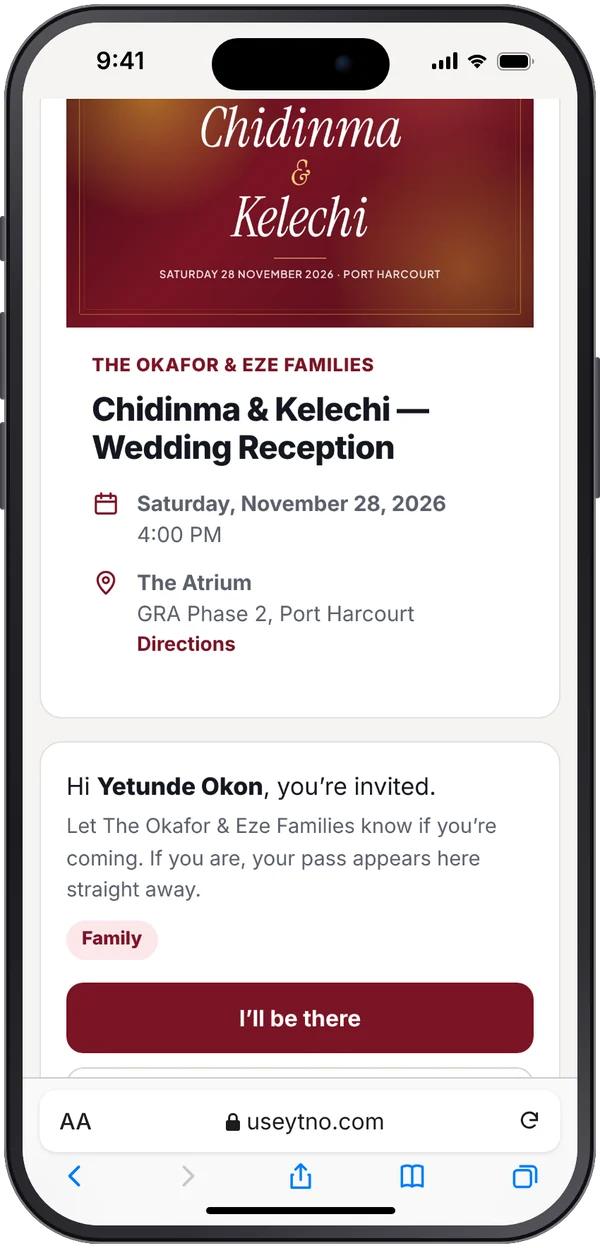
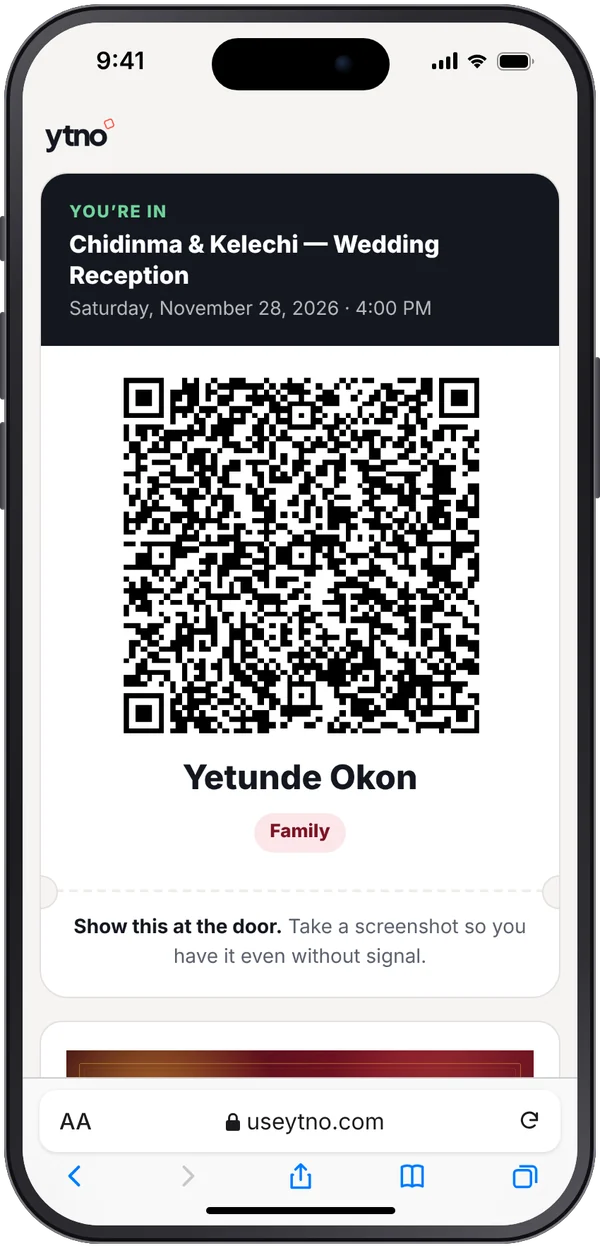
2Their pass lands
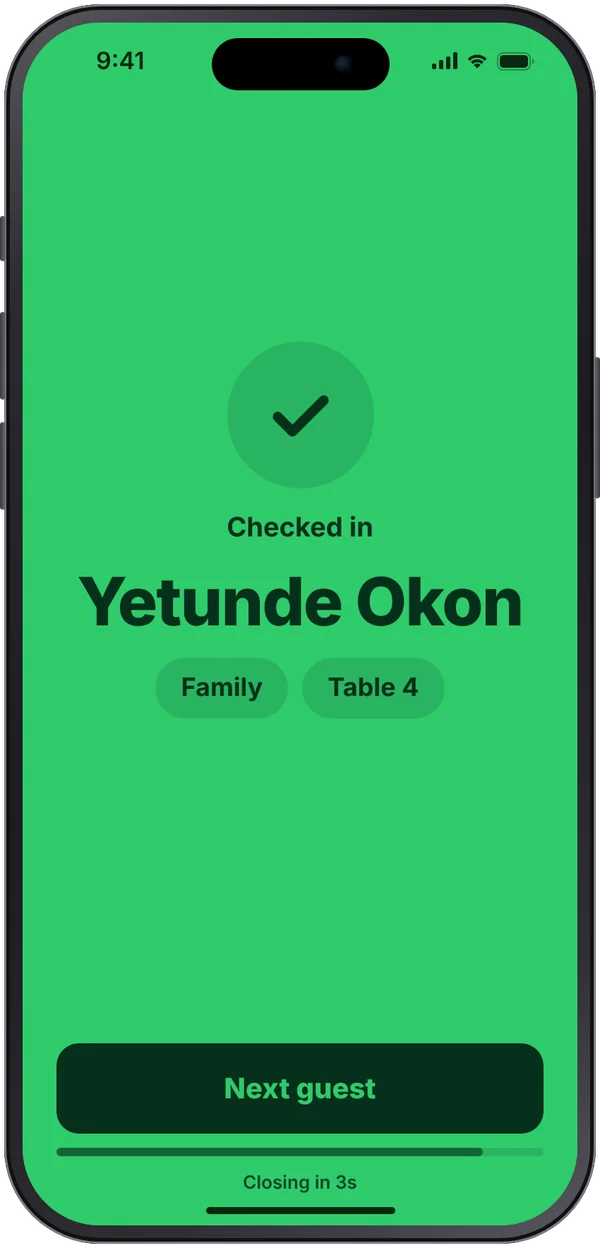
3Scanned in once
guests accredited at the door with Ytno, at weddings, summits, corporate functions and church conventions.
Trusted by


Why Ytno
The door is where events go wrong.
Months of planning come down to a few hours at the gate. These are the three things that break it, and what Ytno does instead.
Invitations get forwarded
One flyer on WhatsApp and people you never invited are at the gate, sure they're on the list.
Every guest gets their own link. Lock your page and only the people on your list can reply.
The list lives in five places
A spreadsheet here, a WhatsApp thread there, the planner's notebook at the gate. Nobody has the real list.
One list your whole team works from, updated the moment someone replies, pays or arrives.
The network drops at the gate
The page won't load, the queue grows, and someone decides to just let people in.
The door app keeps scanning without signal. Scans are saved on the phone and sent when it's back.
How it works
From your list to the last guest in.
Four steps. Set it up in an afternoon; run the door on the day without thinking about it.
Build your list
Upload a spreadsheet, type guests in, or open a sign-up page. Group them by category, table or house.
Invite and confirm
Each guest gets a personal invitation by email or a link you share. They reply, pay if it's ticketed, and get a QR pass.
Check them in
Your team scans passes on their own phones, at as many gates as you need. Each pass gets in once.
Know what happened
Watch arrivals live, then get the full report: who came, who didn't, and every scan by day and by door.
Features
Built for everyone who touches the list.
The organiser, the people at the door, and the guests each get exactly what they need, and nothing they don't.
For you, the organiser
One screen that tells you how it's going and what needs you.
- Invitations, reminders and tickets sent for you
- Live numbers: invited, replied, paid, arrived
- Ticket money paid straight to your bank through Paystack
- Tables, houses and groups, with limits
- Admins with their own login, and an activity log
For your door team
Open a link on any phone. No app to install.
- Scan, see the result in full colour, next guest
- Keeps working when the network drops
- Find anyone by name or ticket number
- Door IDs for volunteers, for one event only
- Several gates share one list, so nobody gets in twice
For your guests
A clear, personal invitation, then a pass on their phone.
- Their own invitation page with your event's look
- Reply in under a minute
- Pay by card or bank transfer
- A QR pass they can show from their email
Who it's for
For events where the guest list is the point.
Weddings and owambes
Families send their own lists, every guest gets a pass, and tables are sorted before anyone arrives.
Summits and corporate events
Delegate registration, paid tickets, several entrances and accreditation desks, with a report for sponsors.
Churches and conventions
Multi-day programmes with check-in each day and attendance for every session.
Private and members' events
Invite-only from start to finish. Nobody gets in on someone else's link.
Built for control
Your list stays yours.
High-stakes events can't rely on goodwill at the gate. Ytno is built so every entry is earned and every action is on record.
Passes that can't be copied
Every pass belongs to one guest and gets in once. A pass that has already been used, or an edited code, is turned away.
The right people, the right access
Owners, admins and door staff each see only what they need. Door IDs expire on their own.
A record of everything
Who invited whom, who scanned whom, and when. Nothing at the door goes unrecorded.
Your money, your bank
Ticket sales are paid through Paystack straight to your account. Ytno never holds your funds.
Pricing
Pay per event, in Naira.
Start free. Pay once for an event when you need more guests. No subscription needed.
Free
For small gatherings
₦0
- Up to 50 guests
- Personal invitations and QR passes
- Check-in at the door
Pay per event
Everything, for as many guests as you need
… per event
- Everything in Free
- Offline check-in, several gates, Door IDs
- Your cover and colours on every page
- … door team seats included
Running several events a month? See subscriptions
Loading…
Selling tickets? Ytno takes 7% of each sale, on any plan; you choose whether you or your guests pay it. Running an event for more than 2,000 guests?
Questions
What organisers ask first.
Do my guests need to download an app?
No. Invitations, replies and passes all work in the browser. Guests show their pass from their email or phone.
What happens if there's no network at the venue?
The door app downloads your guest list before the event and keeps scanning offline. Scans are sent when the connection returns.
Can I use my own guest list?
Yes. Upload a spreadsheet and match its columns in a few clicks. You can also add people one by one or let them sign up.
How do I get paid for tickets?
Guests pay through Paystack by card or bank transfer, and the money goes to the bank account you add. Ytno takes 7% of each sale.
Get started
Run your next event on Ytno.
Set it up yourself in a few minutes, or let us walk you through it with your own event in mind.
Ask us anything. A real person replies.
Book a walkthrough
Tell us about your event. We'll reach you on WhatsApp.